


Bottom Line First
For high-frequency content creation with native audio and without a steep price barrier, Seedance 2.0 is the more practical choice right now.
If you're deep in the Google ecosystem or need enterprise-grade API integration, Veo has a position that Seedance 2.0 can't directly replace.
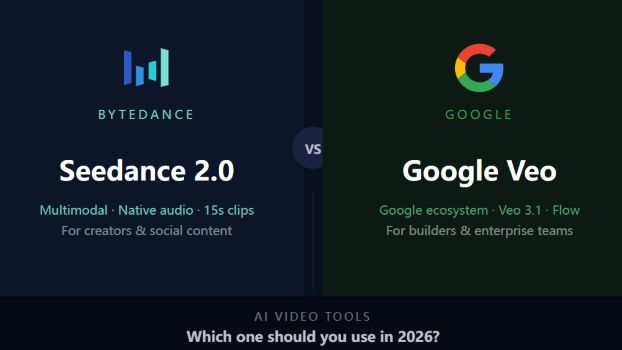
But here's the thing: in 2026, neither of these tools is a toy anymore. The question isn't which one is more technically impressive — it's which one fits your actual workflow.
The Core Difference
Seedance 2.0 is ByteDance's video generation model, officially released in February 2026. It broke out of the tech bubble fast — viral clips showing multi-shot cinematic sequences with native audio got passed around X and Reddit for weeks. It also brought controversy: Disney and Paramount both sent cease-and-desist letters to ByteDance over copyright infringement concerns. That situation hasn't been fully resolved.
Google Veo has taken a steadier path. Veo 3 launched in May 2025 with native audio sync as its flagship capability. The current main version is Veo 3.1, with Veo 4 arriving in April 2026. Less viral energy, but it's backed by Google DeepMind and sits inside an ecosystem that serious creators and enterprises are already using every day.
One-line summary of the difference: Seedance 2.0 is the tool that moves fast and breaks things. Veo is the platform that plays the long game.
Feature-by-Feature Breakdown
Multimodal Input and Reference
This is where Seedance 2.0 pulls ahead most visibly.
Seedance 2.0 accepts text, image, audio, and video as inputs simultaneously — you can reference an existing video clip to specify camera movement and motion rhythm, or upload a storyboard directly to drive the generation. You're not just prompting, you're directing. Tell it which clip's camera language to follow, which image to use as a character reference, what audio style to match — all in one pass.
Veo 3.1 supports image-to-video, first/last frame control, and scene extension. Solid capabilities, but the depth of multimodal reference is currently a step behind Seedance 2.0.
Native Audio
Both tools generate audio natively, but the maturity differs.
Seedance 2.0 generates audio in the same pass as the video — dialogue comes with accurate lip-sync, sound effects are contextually timed, and background music follows the narrative rhythm. Nothing is stitched in post.
Veo 3.1 has been pushing native audio as its core differentiator since Veo 3. The quality is competitive. The gap between them depends more on content type than raw capability — Seedance 2.0 tends to edge ahead on dialogue-heavy scenes, Veo holds its own on ambient and environmental audio.
Generation Length
Seedance 2.0 generates up to 15 seconds per clip, and within that, the model can produce multiple shots with natural cuts and transitions — so a single output can feel like an edited sequence, not just a single continuous take. For social content and ads, that's usually enough.
Veo defaults to 8 seconds per generation through the API, but Veo 3.1's scene extension lets you chain clips into sequences of a minute or more. The catch: each extension is a separate generation, so seamless continuity requires some effort.
Character Consistency
One of the most persistent frustrations with AI video has been characters that drift between scenes — different face, different outfit, slightly different everything.
Seedance 2.0 has made this a solved problem for most use cases: faces, clothing, and even on-screen text stay locked across the entire video. User feedback consistently flags this as the biggest improvement over version 1.0.
Veo 3.1 handles character consistency through reference images, but in complex multi-shot scenarios it's less stable than Seedance 2.0.
Pricing
This matters more than most comparison articles let on.
Seedance 2.0 is accessible through multiple third-party platforms. Entry-level plans start around $20/month with free credits on signup to test before committing.
Veo has a wider price spread: AI Pro at $20/month gets you Veo 3.1 Fast, while the full experience requires AI Ultra at $249.99/month. The gap between those two tiers is significant — it's not just a speed difference. Know which level you actually need before subscribing.
Google Ecosystem Integration
This is where Veo wins outright, and it's not close.
Veo is natively integrated with Google AI Studio, the Flow video editor, and Vertex AI for enterprise. If you're already running on Gemini or Google Workspace, that integration is immediately useful. For developers who need batch API access for production pipelines, Vertex AI's governance and quota management capabilities are hard to replicate with an independent tool.
Seedance 2.0 is accessible through third-party platforms. No ecosystem lock-in — which is either a benefit or a limitation depending on your setup.
Comparison Table
| Dimension | Seedance 2.0 | Google Veo |
|---|---|---|
| Multimodal reference input | Strong, including video-to-video | Supported, less depth |
| Native audio sync | Yes, with lip-sync | Yes, core capability since Veo 3 |
| Max generation length | 15s, multi-shot | 8s base, extendable |
| Character consistency | Strong, cross-scene stable | Moderate |
| Entry price | ~$20/month | $20/month (Fast only), $249.99/month (full) |
| Google ecosystem integration | None | Deep — Flow, Vertex AI, Gemini |
| Copyright risk | Active disputes, use caution commercially | More compliant |
| SEA availability | Available, some regions via third-party | Singapore and Malaysia both supported |
How to Choose Based on Your Situation
You're producing social media content at volume: Seedance 2.0. The multimodal reference input combined with character consistency is a genuine workflow upgrade for creators running at pace.
You need tight audio-video sync: Both work. Seedance 2.0 has an edge on dialogue-heavy content with lip-sync. Veo is competitive for ambient-heavy or non-dialogue scenes.
You're already embedded in Google's product stack: Veo. Ecosystem integration isn't just a marketing point — when you need API-level batch processing, the difference becomes very concrete.
You're on a limited budget: Start with Seedance 2.0's free credits. The Veo AI Pro tier at $20/month is a fast version with real limitations — don't mistake it for the full product.
You're working on commercial projects where copyright compliance matters: This is a real consideration with Seedance 2.0 right now. ByteDance has stated it "respects intellectual property rights" and is strengthening safeguards, but the disputes with major studios are unresolved. For commercial distribution, factor that risk in. Veo is the safer choice on compliance.
Who Each Tool Is Right For
Seedance 2.0 is the better fit if you:
- Create short-form video regularly for social platforms
- Need characters to stay consistent across multiple scenes
- Want to reference existing video styles and replicate them with your own content
- Are cost-sensitive and want to test before paying
- Care about output results more than platform backing
Google Veo is the better fit if you:
- Are already using Google Workspace, Gemini, or Google Cloud heavily
- Need API access for batch production at scale
- Are running commercial projects where copyright compliance is non-negotiable
- Are creating high-quality single pieces rather than volume content
- Need enterprise-level infrastructure — IAM controls, billing governance, team access management
FAQ
Does the Seedance 2.0 copyright controversy affect regular users?
For personal and non-commercial use, the immediate risk is low. ByteDance has committed to strengthening its IP safeguards, but the situation is still developing. If you're planning commercial distribution, check the platform's current terms of service carefully and stay away from content types that are clearly in disputed territory.
Is Google Veo available in Southeast Asia?
Yes — Singapore and Malaysia are both on the expanded access list. Just watch the subscription tier. The $20/month AI Pro plan is the Fast version with limited capabilities. The full Veo experience sits behind the $249.99/month Ultra plan — a significant jump.
How big is the upgrade from Seedance 1.0 to 2.0?
Substantial. The original version struggled with character drift and complex motion scenes. Version 2.0's character consistency has been widely described as solving the biggest problem with the first release — and the multimodal reference input puts it in a different category altogether. If you tried 1.0 and gave up, 2.0 is worth revisiting.
If I can only try one, which should I start with?
Start with Seedance 2.0's free tier. The learning curve is shorter, and you'll have a usable output faster. If you hit a ceiling — usually around ecosystem integration, compliance requirements, or you're a heavy Google user — that's the signal to move toward Veo.
Final Call
In 2026, AI video tool selection isn't about who has the most impressive demo reel. It's about which tool actually fits into how you work.
Seedance 2.0 has reset expectations on output efficiency, multimodal reference, and character consistency. For most content creators, it's the more accessible and immediately productive choice.
Veo's edge isn't in the single-clip wow factor — it's in platform depth and ecosystem integration. For teams running on Google infrastructure or developers building production pipelines, that difference is decisive.
If one sentence is what you need: Seedance 2.0 for creators. Veo for builders.