


The One Thing You Need to Know First
If your code still calls deepseek-chat or deepseek-reasoner, the hard deadline is July 24, 2026. After that date, both model strings stop working. The migration itself is straightforward — one line change in most cases. The real risk isn't technical complexity, it's leaving it until something breaks in production.
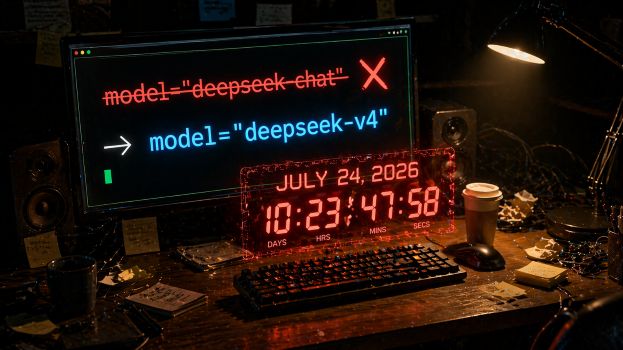
What's Being Deprecated
Two model strings are going away:
deepseek-chat→ currently routes todeepseek-v4-flash(non-thinking mode)deepseek-reasoner→ currently routes todeepseek-v4-flash(thinking mode)
Calls to the old strings still work right now, but DeepSeek may quietly adjust routing behavior before the cutoff. After July 24, 2026, calls return errors directly — no graceful degradation, no warning in the response.
What You're Migrating To
| Old model string | Migrate to | When |
|---|---|---|
deepseek-chat |
deepseek-v4-flash |
All cases |
deepseek-reasoner |
deepseek-v4-flash or deepseek-v4-pro |
Depends on task complexity |
The only decision point: if you were using deepseek-reasoner for complex reasoning tasks, test whether Flash with thinking mode enabled meets your quality bar. If it does, stay on Flash. If it doesn't, move to Pro. Everything else is a straight swap to Flash.
Two API Formats
DeepSeek V4 supports two base URLs depending on which SDK you're using:
OpenAI-compatible format (most common)
Base URL: https://api.deepseek.com
Anthropic-compatible format
Base URL: https://api.deepseek.com/anthropic
Using the wrong format for your SDK will throw errors immediately, not fail silently. Confirm your SDK type before choosing.
Migration Checklist
Do these in order. Don't skip steps.
Step 1: Find every call site
grep -r "deepseek-chat" .
grep -r "deepseek-reasoner" .
Check environment variables, config files, and hardcoded strings in your codebase. Missing one call site is a potential production incident.
Step 2: Replace the model string
# Before
model="deepseek-chat"

# After
model="deepseek-v4-flash"
# Before
model="deepseek-reasoner"

# After (standard or moderate complexity tasks)
model="deepseek-v4-flash"

# After (complex reasoning / agent tasks)
model="deepseek-v4-pro"
Step 3: Confirm your base URL
# OpenAI-compatible
from openai import OpenAI

client = OpenAI(
    api_key="your_api_key",
    base_url="https://api.deepseek.com"
)

# Anthropic-compatible
from anthropic import Anthropic

client = Anthropic(
    api_key="your_api_key",
    base_url="https://api.deepseek.com/anthropic"
)
Step 4: Handle thinking mode explicitly
Thinking mode is now a parameter, not a model string:
# Enable thinking mode
response = client.chat.completions.create(
    model="deepseek-v4-flash",
    messages=[{"role": "user", "content": "your prompt"}],
    extra_body={"thinking": {"type": "enabled"}}
)

# Disable thinking mode
extra_body={"thinking": {"type": "disabled"}}
If you were calling deepseek-reasoner and don't add this parameter, thinking mode defaults to off. Your reasoning behavior changes without any error to tell you why.
Step 5: Test on real tasks in staging
Don't use hello world prompts. Run your 10 most critical production prompts and check JSON output format and tool call response structure — these are where V4 differs most from the old models.
Step 6: Roll out gradually, keep fallback for two weeks
Don't cut over all at once. Keep the old routing available for two weeks while you monitor production behavior.
Four Mistakes Most People Make
Mistake 1: "It still works, I'll deal with it later." The old strings route somewhere today, but stable behavior isn't guaranteed before the cutoff. DeepSeek may adjust routing logic without notice. Earlier migration means more time to catch output format issues in real traffic.
Mistake 2: Changing the model string but not testing output format. V4's JSON output and tool call response structure differ from the old models. If your downstream code parses model output, this is where failures will show up — not in the API call itself.
Mistake 3: Migrating deepseek-reasoner directly to deepseek-v4-pro. The official temporary mapping goes to Flash with thinking mode, not Pro. Pro costs 12x more on output. Test Flash with thinking mode enabled first. Move to Pro only if Flash demonstrably fails on your task.
Mistake 4: Not explicitly enabling thinking mode after migrating from deepseek-reasoner. V4 defaults to thinking mode off. If you don't add the thinking parameter, you've silently removed the reasoning behavior your pipeline depended on.
Cost Structure After Migration
V4 introduces cache hit pricing that didn't exist in the old models:
| Pricing item | V4 Flash | V4 Pro |
|---|---|---|
| Input (cache hit) | ¥0.2 / 1M tokens (~$0.028) | ¥1 / 1M tokens (~$0.145) |
| Input (cache miss) | ¥1 / 1M tokens (~$0.14) | ¥12 / 1M tokens (~$1.74) |
| Output | ¥2 / 1M tokens (~$0.28) | ¥24 / 1M tokens (~$3.48) |
If your pipeline sends repeated system prompts or shared context blocks, cache hit rates climb fast and effective input costs drop significantly. High-frequency pipelines may end up paying less after migration, not more.
Where Migration Is Most Likely to Break
Tool-call-heavy pipelines — Response structure changes hit hardest here. Test these first.
Downstream code that parses model output — JSON extraction, field parsing, regex matching against outputs. V4 and the old models differ in subtle ways that won't surface until you test on real data.
Anything that was calling deepseek-reasoner — Thinking mode is now opt-in via parameter. Missing it means you've silently disabled the reasoning behavior.
Long conversation history — Confirm your token counting logic still produces accurate results under V4.
FAQ
What happens if I don't migrate by July 24? API calls return errors. No fallback, no graceful degradation. Services that depend on the old model strings go down.
Do I need a new API key? No. Same key, same account. Only the model string changes.
Do Flash and Pro use the same API key? Yes. Same key, different model string in each call.
Does enabling thinking mode increase cost? Yes. More reasoning steps means more tokens consumed and higher latency. Turn it off for tasks that don't need deep reasoning.
Which format should I use — OpenAI or Anthropic compatible? If you're already using the Anthropic SDK, the Anthropic-compatible format minimizes code changes. Starting fresh, OpenAI-compatible has more documentation and community examples.
Final Recommendation
Do one thing today: search your codebase for deepseek-chat and deepseek-reasoner and count the results. No code changes needed yet — just know your surface area. Most projects come back with fewer than five matches. That's an afternoon of work.
Waiting until July is a bet that V4's output format differences won't affect your production behavior. That's not a bet worth making.
Related reading:DeepSeek V4 Preview: Pro vs Flash, 1M Context, API, and What Actually Changed